



Description
Download Trick or Treat Windows Theme – Halloween, Windows Theme, Trick or Treat, Desktop Theme, Holiday Theme, Spooky, Seasonal, Orange Theme, Festive, Halloween Decor, Halloween Wallpaper, Halloween Aesthetic, Halloween Desktop, Halloween Look, Halloween Mood, Halloween Spirit, Halloween Celebration, Halloween Season
Overview
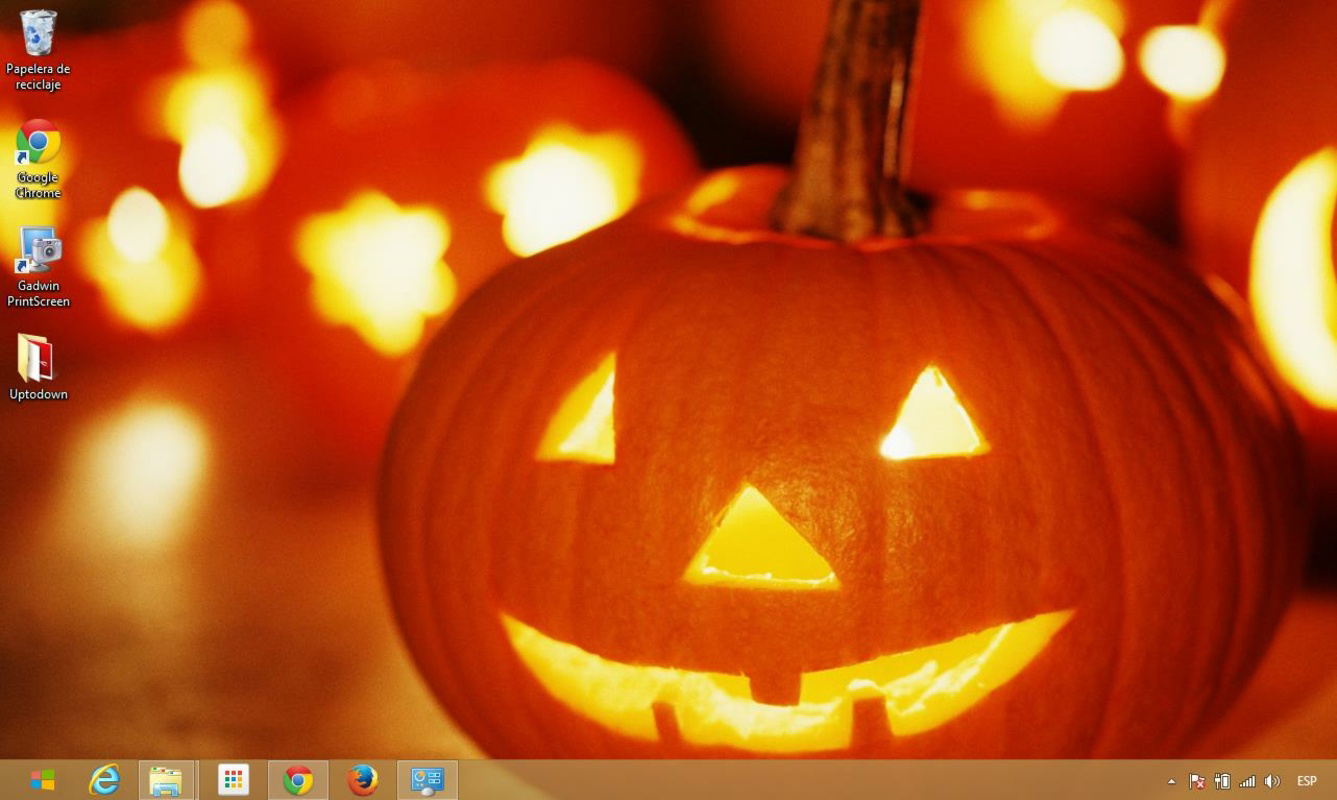
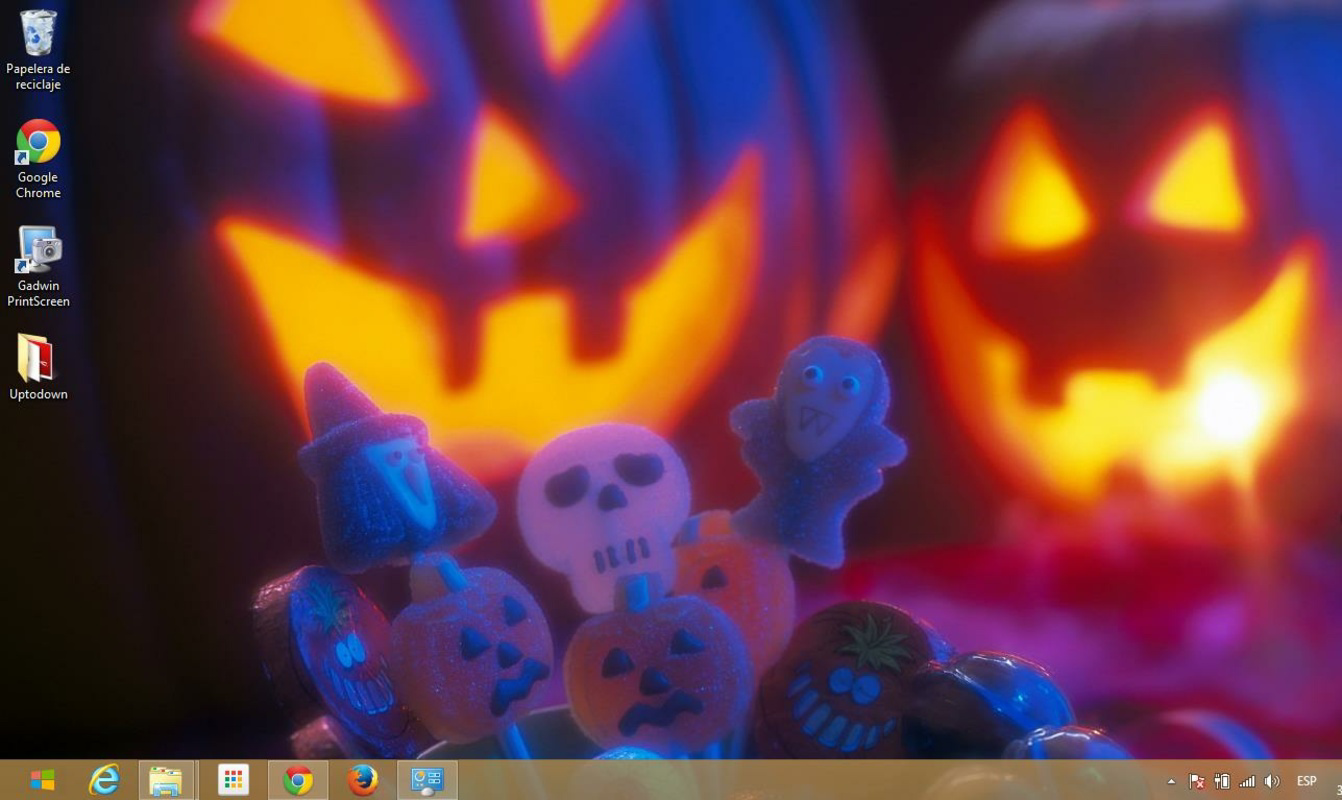
The Trick or Treat Windows Theme is a seasonal desktop customization tool designed to enhance the user experience during the Halloween period. Tailored for individuals who enjoy festive aesthetics, this theme introduces a vibrant orange-based color scheme and a series of Halloween-themed visuals to transform the appearance of a Windows desktop. It serves as a digital decoration that helps users immerse themselves in the holiday spirit, whether at home or in a work environment. The theme is particularly suited for Halloween enthusiasts, educators preparing classroom displays, or anyone seeking to add a seasonal touch to their digital workspace.
Although the developer did not provide additional technical details, the theme was released on October 31, 2013, aligning with the Halloween season. Its purpose is not to perform complex functions but to offer visual personalization through wallpapers and color schemes. Real-world use cases include seasonal office setups, school projects, or personal entertainment during the fall months. In the broader app ecosystem, such themes occupy a niche role in digital personalization, allowing users to express individuality and celebrate cultural events through their devices.
Key Features & Functionality
- Colorful Orange-Based Theme Design: The theme adopts a lively orange palette that reflects traditional Halloween colors. This design choice enhances visibility while establishing a festive, spooky atmosphere across the desktop interface.
- Diverse Halloween Wallpapers: Five distinct wallpapers are included, each featuring seasonal motifs such as pumpkins, bats, haunted houses, and dark skies. These visuals can be manually selected or set to auto-rotate, providing dynamic visual variety.
- Easy Installation Process: The theme is designed for straightforward setup. Users can apply the theme with minimal steps, making it accessible even to those with limited technical experience.
- Seasonal Aesthetic Focus: Specifically crafted for Halloween, the theme supports holiday celebrations by reinforcing the mood and spirit of the season through consistent visual elements.
- Non-Intrusive Customization: As a desktop theme, it does not alter core system functions. It operates solely at the visual layer, ensuring no performance impact on the underlying operating system.
For example, a user preparing a Halloween-themed presentation can use the rotating wallpapers to create a cohesive visual backdrop. Similarly, a teacher might apply the theme to a classroom computer to engage students with seasonal decor. The theme’s simplicity ensures that users can quickly switch it on and off, making it ideal for temporary seasonal use.
Interface, UX & Performance
The interface of the Trick or Treat Windows Theme is entirely visual, relying on the native Windows personalization settings for activation and management. Users interact with the theme through standard system controls, ensuring a familiar and intuitive experience. The visual style emphasizes Halloween motifs, with consistent color application across window borders, taskbar, and icons, contributing to a unified aesthetic.
Navigating the theme’s settings is straightforward, as it integrates directly with the Windows desktop customization menu. The theme does not include additional UI elements or pop-ups, minimizing user disruption. Although the developer did not list formal performance metrics, the 25 MB file size suggests a lightweight package that should not significantly impact system resources. The theme is expected to function smoothly across various device categories, including desktops and laptops, without noticeable lag or instability.
Platform Compatibility & Technical Requirements
The Trick or Treat Windows Theme is designed for the Windows operating system. It is compatible with Windows platforms, though specific version requirements were not listed. The application size is 25 MB, which is typical for a desktop theme package. The theme is available at no cost, with a free price tag, making it accessible to a broad audience.
The developer did not specify minimum OS requirements or compatibility details for different Windows versions. As such, users should ensure their system supports theme installation features. The theme does not require additional software or runtime dependencies, reducing the risk of installation errors.
Pros and Cons
- Free to download and use
- Simple and fast installation process
- Five high-quality Halloween-themed wallpapers
- Auto-rotation option for dynamic desktop experience
- Consistent visual theme across system elements
- Not available for mobile or non-Windows platforms
- No customization options beyond wallpaper selection
- May not suit users who prefer minimalist or neutral desktop aesthetics
- Theme is seasonal and may lose relevance after Halloween
- Developer did not provide update history or support information
FAQ
Is the Trick or Treat Windows Theme safe to install?
Yes, the theme is free and designed for personal use. It does not include executable files or third-party components that could pose security risks. However, users should always download themes from trusted sources.
Can I use this theme on my mobile device?
No, the Trick or Treat Windows Theme is specifically designed for desktop computers running Windows. It is not compatible with Android or iOS devices.
Does the theme require a paid version to unlock features?
No, the theme is completely free. All features, including wallpaper rotation and color customization, are available without additional cost.
How do I uninstall the theme if I no longer want it?
Users can revert to their previous desktop settings by accessing the Windows Personalization menu and selecting a different theme or resetting to default settings.
Is the theme updated regularly?
The developer did not provide information on update frequency. The theme was released in 2013, and no updates have been documented.
Final Thoughts
The Trick or Treat Windows Theme delivers a focused, seasonal experience that enhances the visual appeal of a Windows desktop during Halloween. Its vibrant orange palette, diverse wallpapers, and easy setup make it a practical choice for users seeking a festive atmosphere. While it lacks advanced features or ongoing updates, its simplicity is its strength, catering to those who value quick, effective personalization. The theme is ideal for educators, event planners, and casual users looking to celebrate the season with minimal effort. For a lightweight, joyful addition to your digital space, this theme stands out in its niche. Download Trick or Treat Windows Theme now.
Guides & Tutorials for Trick or Treat Windows Theme
How to install Trick or Treat Windows Theme
- Click the Preview / Download button above.
- Once redirected, accept the terms and click Install.
- Wait for the Trick or Treat Windows Theme download to finish on your device.
How to use Trick or Treat Windows Theme
This software is primarily used for its core features described above. Open the app after installation to explore its capabilities.
User Reviews for Trick or Treat Windows Theme 0
No reviews found


